As a software architect, one of the biggest challenges I see teams facing is balancing between application performance and database scalability. When apps start to grow, especially in the cloud, things can get complicated fast. Suddenly, you’re dealing with connection limits, unexpected latency spikes, or the dreaded database failure that brings everything crashing down.
That’s where AWS RDS Proxy steps in, and it’s quickly becoming a go-to solution for overcoming these hurdles.
What Exactly is RDS Proxy?
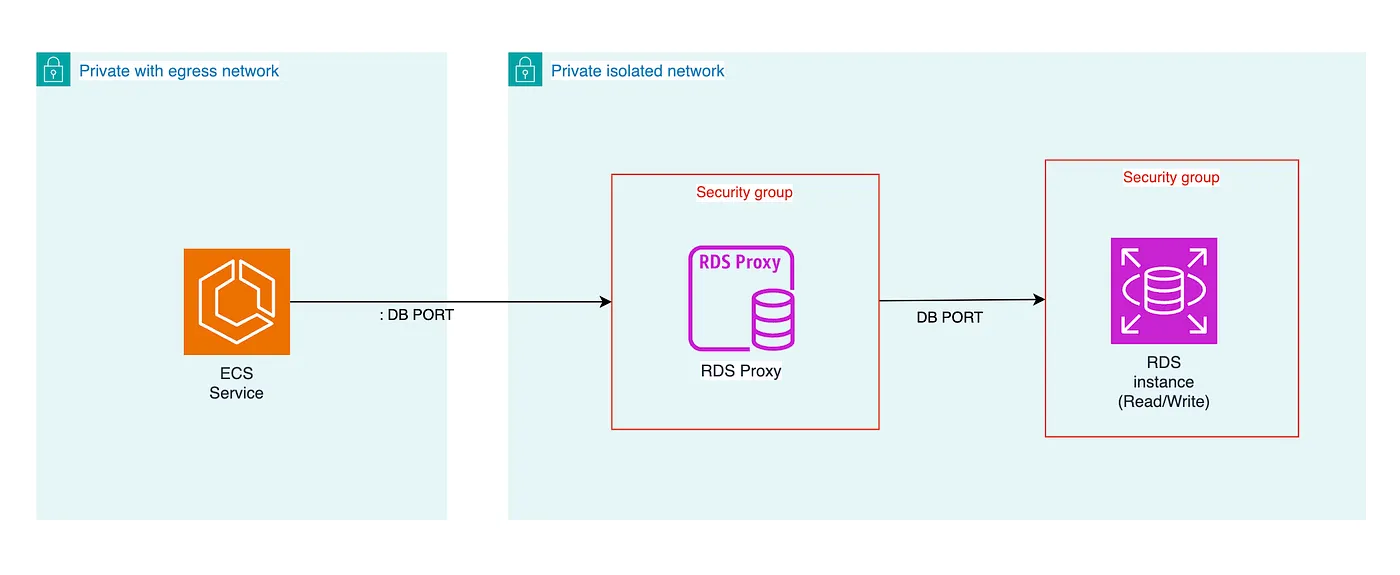
Think of RDS Proxy as the middleman between your application and your database. It manages connections to your database in a much more efficient way than your app could do on its own. Whether you’re running Lambda functions, ECS tasks, or good old EC2 instances, RDS Proxy makes sure you’re not wasting valuable CPU time on opening and closing connections over and over again.
But why does this matter? Well, in the cloud, you pay for every bit of performance you use, and opening a ton of database connections can be pretty expensive — not to mention the bottleneck it creates as your app scales.
Real-World Example: A Client’s Scaling Challenge
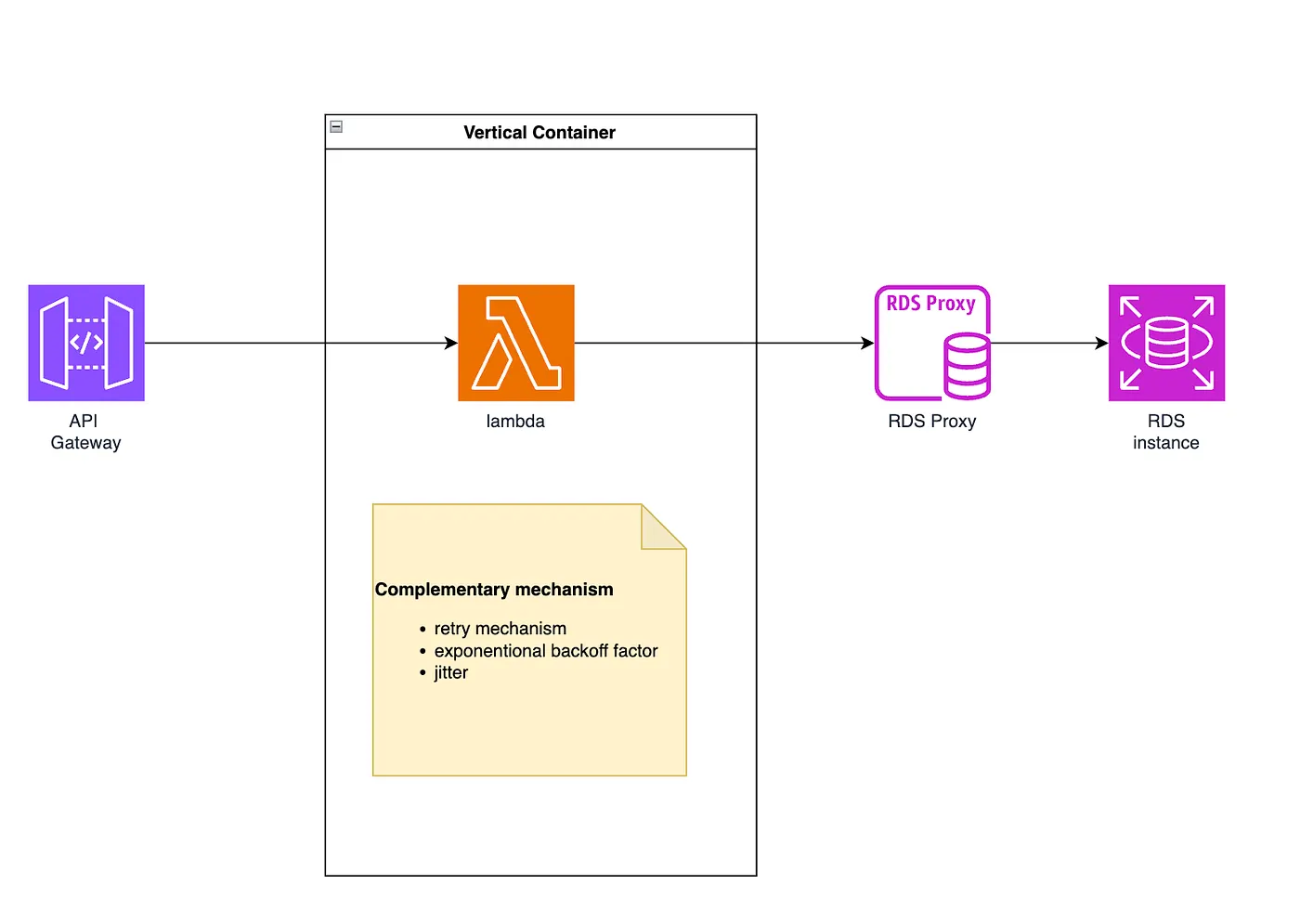
One of our clients was running an application with a heavy ETL (Extract, Transform, Load) process on AWS. They were using Lambda functions to handle large volumes of incoming data. Sounds great, right? The problem was that every time a new Lambda function spun up, it opened a new connection to their RDS database. This led to an explosion of connections and high CPU usage on their database — essentially creating a bottleneck.
Here’s how we solved it with RDS Proxy:
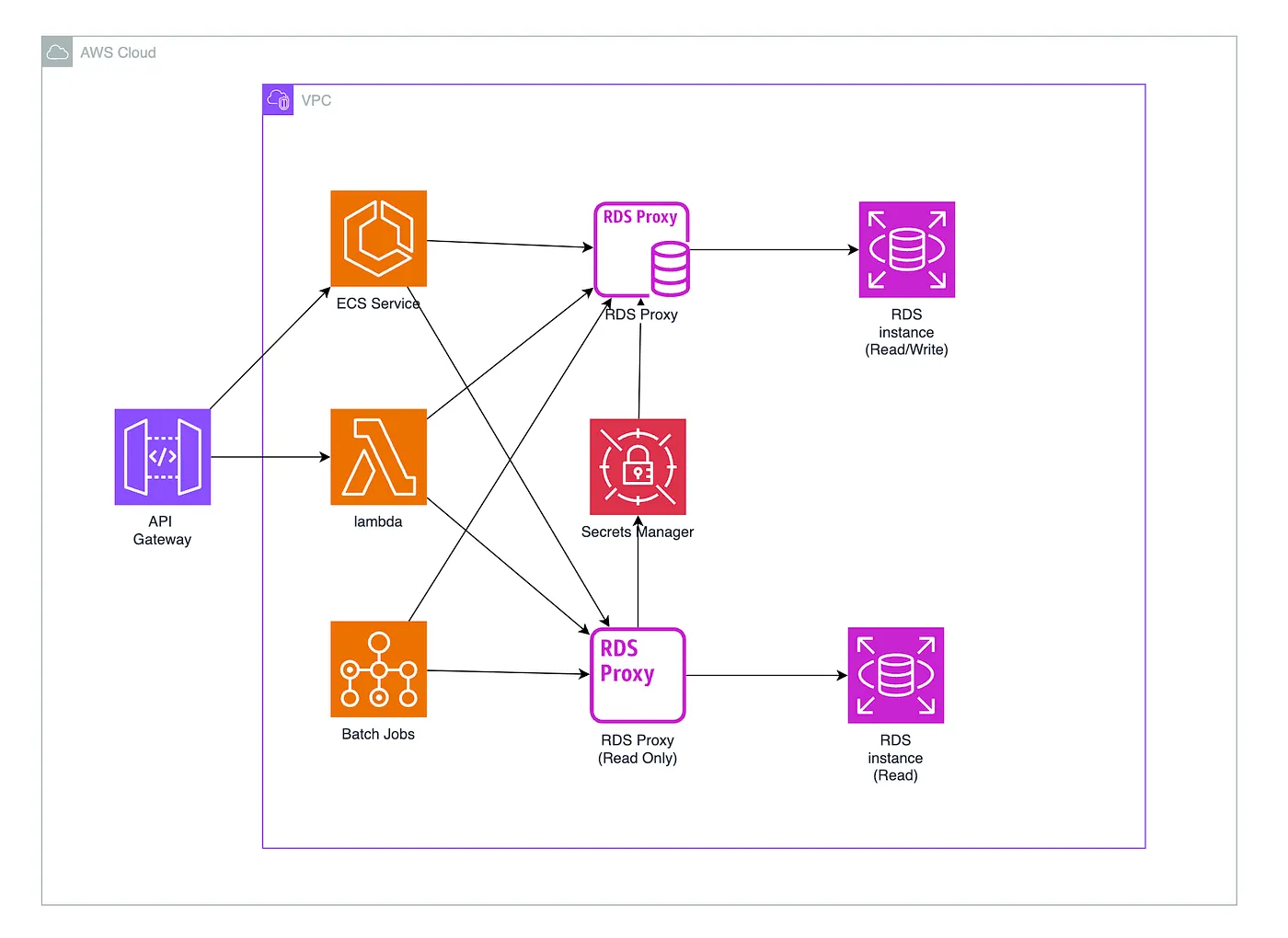
- Connection Pooling: Instead of each Lambda function creating its own connection, RDS Proxy reused connections efficiently. This reduced the CPU and memory load on the database significantly.
- Automatic Failover: In the event of a database failure, the proxy automatically rerouted connections to a read replica without any downtime.
- Secret Management: With RDS Proxy, we were able to integrate AWS Secrets Manager, so our client didn’t need to manage database credentials manually — improving security and reducing the risk of human error.
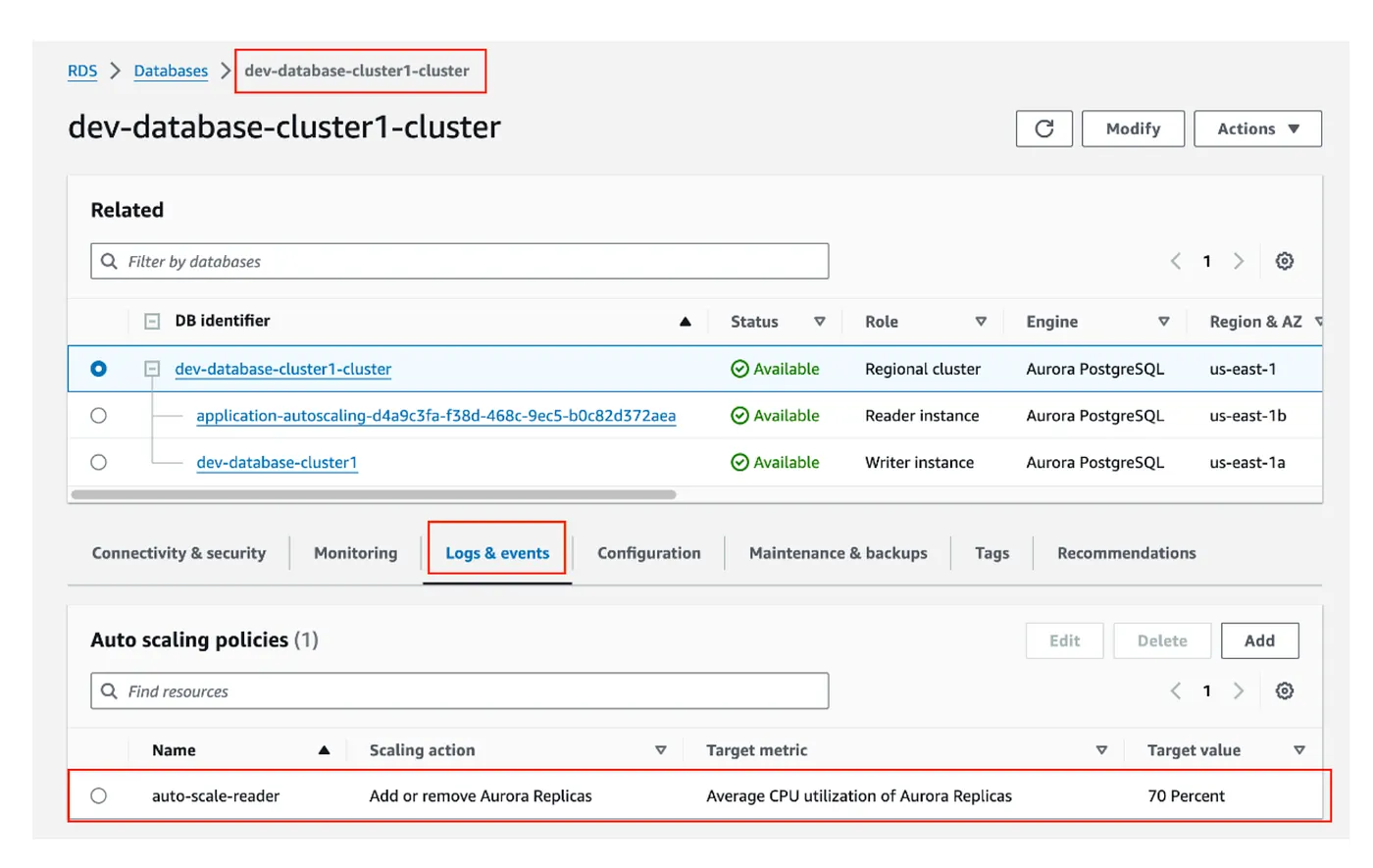
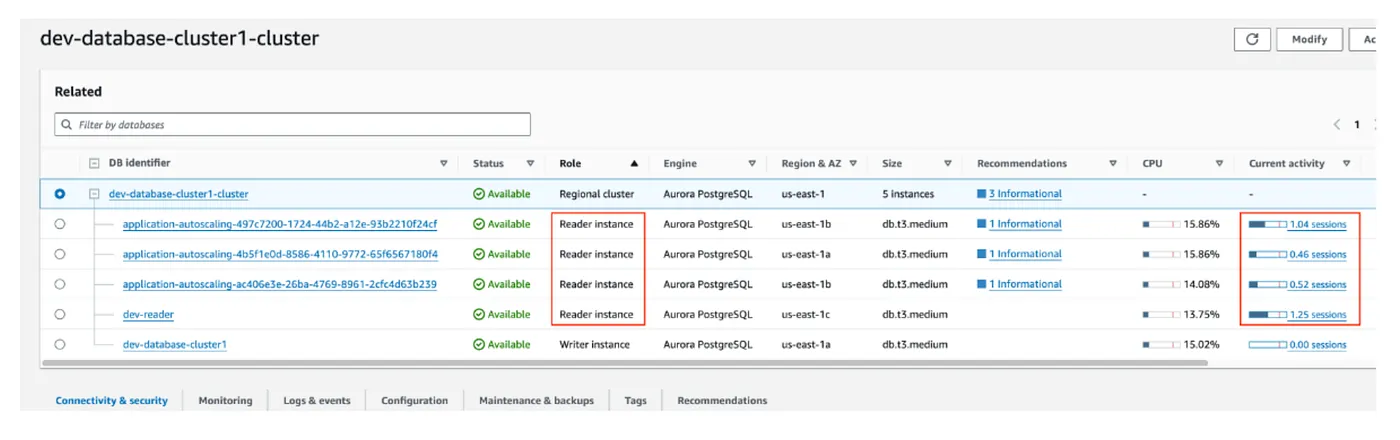
- DB router: In case you are using a framework or a lambda function you will need the concept of a router that chooses the more relevant endpoint to arrive at your RDS cluster read or write instance.
Why Use RDS Proxy?
Here’s the thing about RDS Proxy: it’s not just about handling a large number of connections — it’s about doing so intelligently.
- Scalability: As your application scales, whether it’s a small startup or an enterprise-level service, RDS Proxy helps by automatically managing database connections. Instead of scaling your database up (which costs more), you can scale connections smarter.
- Resilience: When failures happen, and trust me, they do, RDS Proxy’s automatic failover ensures your users won’t feel a thing. The proxy shifts the workload to read replicas seamlessly, cutting down recovery times by up to 70%.
- Cost Efficiency: Rather than increasing your database size (and cost), RDS Proxy allows you to handle more connections with fewer resources. It’s a simple way to keep costs down while ensuring your database can handle the load.

Best Practices: When Should You Use RDS Proxy?
While RDS Proxy is great, it’s not a one-size-fits-all solution. It shines in situations where you have variable workloads — like when your app uses serverless functions or microservices that can scale out suddenly. If your app’s database connections are relatively stable, you might not need it. But if you’re working in an unpredictable environment where scaling happens fast (and often), it’s a game-changer.
A good rule of thumb: If you’re finding that increasing your database size is your first solution to scaling, consider using RDS Proxy instead. It can often handle more connections without the need to throw more hardware at the problem.
Conclusion: Is RDS Proxy Right for You?
AWS RDS Proxy is one of those tools that simplifies life for both developers and architects. It’s a smart way to ensure your application can handle spikes in traffic, maintain performance, and recover quickly from failures — all while keeping costs under control.
So, if you’re tired of dealing with connection limits or watching your database struggle to keep up with your growing app, it might be time to give RDS Proxy a serious look.
Let us know if you’d like to chat about how we can help implement it in your environment. We’ve seen the benefits firsthand, and trust me, it’s worth it.