Last week I made a post about switching from Cursor to Claude Code. Well, I’ve been all-in on Claude Code this last month, and I’ve discovered something: most developers are using it at maybe 20% of its potential.
I’m about to share 5 practical tips that transformed my Claude Code workflow from “this is nice” to “I literally can’t imagine coding without this.” These aren’t theoretical — they’re battle-tested techniques I use every single day.
And yes, even if you think you’re a Claude Code pro, I guarantee there’s at least one thing here that’ll level up your game.
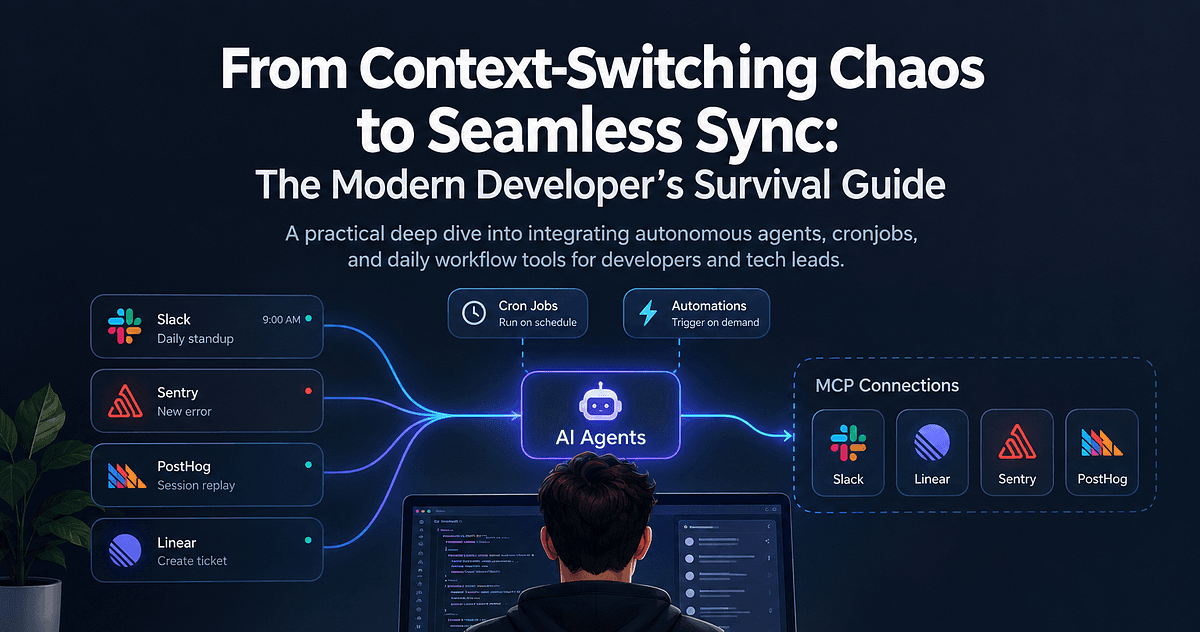
1. You’re Not Using Enough MCPs (Model Context Protocol)
Let’s start with the big one. If you’re not using MCPs, you’re basically driving a Ferrari in first gear.
Here are the 5 MCPs that transformed my workflow:
Context7 — Must have MCP. It grabs documentation for any technology on the fly. No more copy-pasting docs or hoping Claude remembers that obscure React hook.
Effect Docs — I use Effect btw, but since It's a more niche technology, LLMs don't naturally know how to write Effect code (although Sonnet 4 got better). This MCP bridges that gap perfectly. If you use any less-common tech stack, find its MCP.
Postgres — Game. Changer. Whether it’s local Docker or remote, I can query data, insert mock records, or debug schemas without leaving my flow. There are MCPs for MySQL, MongoDB — all the majors.
Sequential Thinking — My first MCP, though I use it less now (more on that later). Still invaluable for breaking down complex problems into digestible chunks.
Test Master AI — When you need to build something big and break it into frontend/backend/testing phases. Not my daily driver anymore, but clutch for major features.
Pro tip from the comments on my last video: Check out MCP Consult7 if you have a massive codebase. It feeds your entire project to models with huge context windows (like Gemini) for better understanding. Haven’t tested it fully yet, but the concept is brilliant.
Thanks @prof-stefan on Youtube for the tip.
2. The Init Command Is Not Optional
This might be the most underused feature in Claude Code, and it drives me crazy.
“Claude Code isn’t learning my preferences!” Of course it’s not — you never told it what they are.
Run /init and create a proper claude.md file. This isn't busywork; it's programming your AI assistant.
Here’s a real example from my setup: I have a prompt engineering playbook that I reference in my claude.md. Now when I say "improve this prompt," Claude Code doesn't just guess — it applies battle-tested techniques from my documentation.
In claude.md- Use IDE diagnostics to find and fix errors- Reference prompt-engineering-playbook.md for all prompt improvements- Always check test coverage after implementation
Your claude.md is your AI's instruction manual. Write it like you're onboarding a new developer. Because you are.
3. Plan First, Code Second
This is the feature that made Sequential Thinking and Test Master MCPs almost obsolete for me.
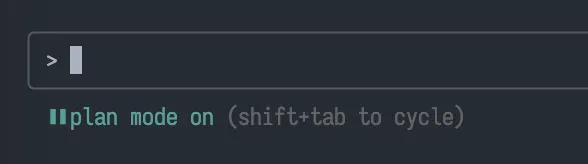
Claude Code’s planning mode is incredible. It’s not just outlining — it’s strategic thinking. It examines your codebase, understands dependencies, and creates a roadmap you can actually review and modify.
The workflow:
- Describe what you want
- Let Claude Code create a plan
- Review and adjust the plan
- Execute with confidence
I’ve stopped jumping straight into implementation. Every feature now starts with a plan. The 2 minutes spent planning saves 20 minutes of refactoring later.
4. Yes, The Max Plan Is Worth It
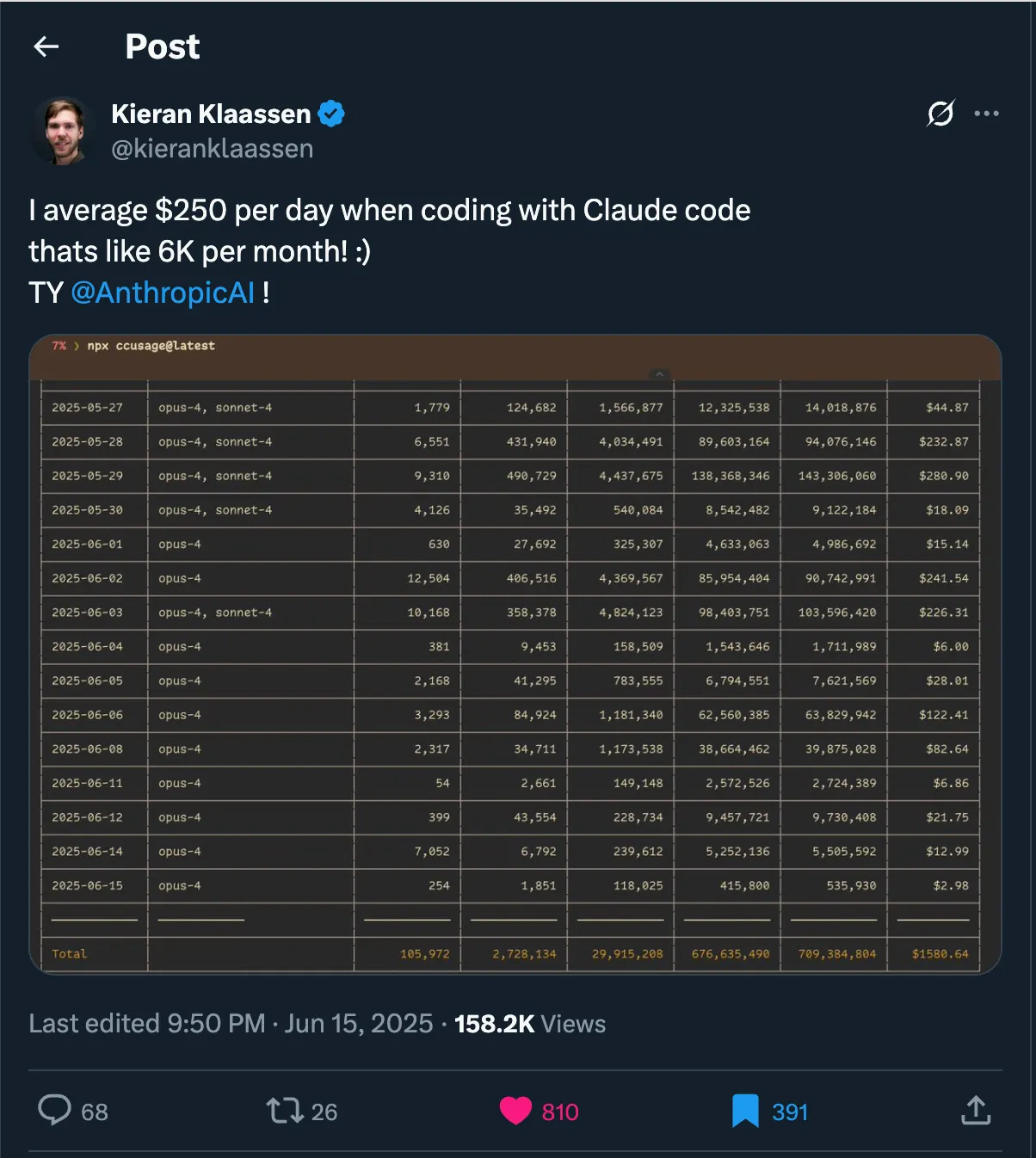
Look, I get it. $100/month feels steep compared to Cursor’s $20. But let me share something wild.
I saw a developer on Twitter spending $6,000/month in API credits with standard plans. That’s not a typo. Six. Thousand. Dollars.
With the Max plan at $100/month, you get essentially unlimited access. No token counting. No stopping mid-flow because you’re worried about costs. Just pure, uninterrupted productivity.
Think about it this way: If Claude Code saves you even 2 hours per month (and it’ll save way more), it’s already paid for itself. For daily coders, this is the best $100 you’ll spend on your career.
Can’t commit yet? Try the Pro plan or use API credits first. But trust me — once you experience unlimited Claude Code, there’s no going back.
5. The IDE Extension Is Your Secret Weapon
This tip alone doubled my success rate with Claude Code.
Install the Claude Code extension in your IDE. Why? Those red squiggly error lines aren’t just for you anymore — they’re for Claude.
When Claude Code can read IDE diagnostics, magic happens:
- It sees type errors in real-time
- It catches syntax issues immediately
- It self-corrects in a continuous loop until the code works
No more “oops, I forgot a semicolon” commits. No more type mismatches. Claude Code sees what your IDE sees and fixes it automatically.
Add this to your claude.md:
Always use IDE diagnostics to validate code after implementation
Now Claude Code doesn’t just write code — it writes working code.
The Bottom Line
These aren’t just tips — they’re the difference between using Claude Code and mastering Claude Code.
I’ve watched developers struggle with basic implementations while I’m shipping entire features. The tool is the same. The approach makes all the difference.
Start with MCPs. Set up your documentation. Plan before coding. Invest in the Max plan. Connect your IDE.
Do these five things, and I promise — you’ll wonder how you ever coded without them.
What Claude Code tips have transformed your workflow? Drop a comment below. And if you haven’t watched our 38-minute deep dive into Claude Code.