Less chat, more action — why the Model Context Protocol gives your AI actual hands and eyes.
Going Beyond Prompts
Let’s be honest: prompting is cute, but it only gets you so far.
You can whisper sweet instructions to your favorite LLM all day — “summarize this,” “translate that,” “pretend you’re an expert in supply chain dynamics” — but the moment you need it to interact with your actual systems?
Silence. Or worse: hallucination.
LLMs are brilliant, but they’re basically locked in a sandbox with no real-world awareness. They can talk about your business — but they can’t do anything with your business. No files. No databases. No tools.
Unless… you give them hands.
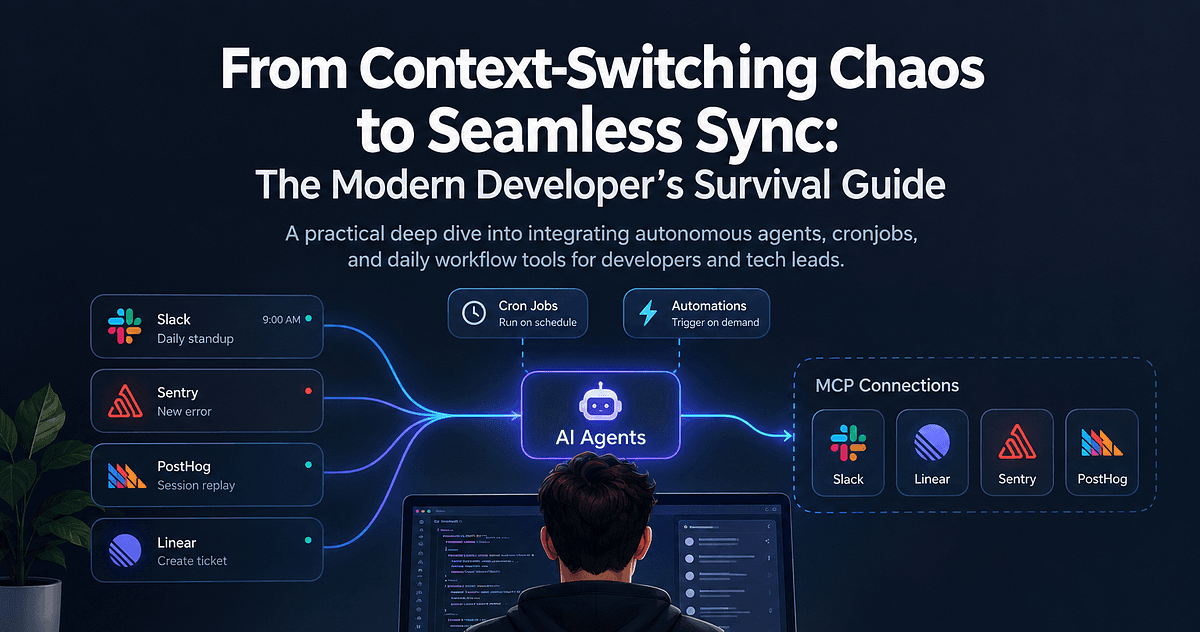
That’s where MCP — the Model Context Protocol — comes in. It’s not just a connector. It’s a capability layer. A way to give your AI real-time access to data, tools, and actions — without hardcoding every possibility into your app.
It’s what turns a clever chatbot into an actual assistant.
From Static Chatbot to Dynamic Agent
Today’s LLM apps are mostly static responders.
They answer questions based on the prompt and a limited context window. Maybe you give them a few PDFs, a search API, or a chatbot skin and call it an “AI solution.”
But when that AI needs to:
- Pull live data from your CRM?
- Execute a SQL query?
- Schedule a meeting or send a report?
You’re stuck building brittle glue code, crafting plugins, or giving up entirely.
MCP changes the model. It makes your AI interactive. It introduces the idea of:
- Tool usage
- Resource fetching
- Context injection
- Action execution
And the best part? You don’t have to script every behavior. You just describe the available capabilities, and the AI figures out how to use them.
You give it a toolbox — it chooses the tools.
MCP’s Architecture
Here’s the architecture, explained like we’re five:
🔲 Host
The host is your AI-powered app. Think:
- Claude Desktop
- Cursor
- A custom internal AI interface
This is the “home” of your LLM — the container where it lives and works.
🔌 Client
The client is the thing that connects your AI to a specific external capability. Each one represents a 1:1 session with a server.
This should be a thin layer of communication within the MCP protocol.
🛠️ Server
The server is the thing that actually exposes a system — a data source, API, or tool — via MCP. It describes:
- What tools are available
- What resources can be fetched
- How to interact with them
Servers are the doors. Clients are the keys. The host is the brain that decides when to use them.
It’s modular, secure, and (dare we say) elegant.
The Flow: Discovery → Invocation → Result
Here’s how the magic happens in practice.
- Discovery: When a server connects, it announces what tools and resources it has. Think of it like a plugin manifest or capability menu.
“Hey AI — I can run queries, send emails, and give you access to the project tracker. Just ask.”
- Decision: The AI sees the list of tools and decides when to use them, based on the user’s prompt and its own reasoning.
“Hmm. The user asked for Q1 revenue by product line. I’ll need to run a SQL query.”
- Invocation: The client sends the tool request to the appropriate server. The server processes it and sends the result back.
- Context Injection: The result gets fed back into the model’s context — so it can generate a grounded, accurate response.
Rinse and repeat. All behind the scenes. All controlled by the AI’s decision-making.
The Secret Sauce: Interfaces Without Concrete Actions
This is where MCP flips the script.
Most traditional software requires you to predefine exact behaviors: “When the user clicks X, call API Y with params Z.” You wire up flows, write handlers, and pray nothing breaks.
MCP says: “Just tell the AI what tools are available — and let it figure out how to use them.”
You’re not writing scripts. You’re exposing capabilities.
You’re not telling the AI what to do — you’re letting it decide.
It’s declarative. It’s flexible. It’s scalable as hell.
Think of it like this:
You’re not handing your AI a recipe.
You’re giving it a stocked kitchen and asking, “Can you make dinner?”
What It Looks Like in Practice
Let’s walk through a simple example.
You ask your AI assistant:
“Generate a short report on Q1 sales by product category, and include a chart.”
Here’s what happens:
- The AI sees it has access to:
- A PostgreSQL database server
- A Python/pandas analysis server
- A charting/plotting tool
- It chooses to:
- Run a SQL query via the DB server
- Process the data via the pandas server
- Generate a bar chart
- Write a one-paragraph summary
- It returns:
“Q1 sales were strongest in Widgets and Gadgets, with 40% and 35% of total revenue respectively. Here’s the chart:”
No custom logic. No if-this-then-that scripts. Just a smart model with access to the right tools.
That’s not a chatbot. That’s a junior analyst you didn’t have to onboard.
Why This Changes the Game
MCP unlocks:
- Reusable connectors — one Postgres server, used by any AI
- Dynamic orchestration — AI decides the best way to fulfill a task
- Rapid prototyping — plug in new tools, watch the AI explore
- Agentic behavior — multi-step workflows across tools, decided on-the-fly
In short: it turns your LLM into an agent that thinks and acts.
No more building a custom AI app for every use case.
Just wire up the tools and let the model figure out the rest.
Real Talk: What Could Go Wrong?
MCP is powerful — but with great power comes the potential for:
- Tool misuse (AI deletes the wrong thing)
- Security lapses (unscoped access)
- Latency hiccups (slow API calls)
- Prompting weirdness (AI calls the wrong tool)
We’ll dive deeper into those gotchas in a later post — including how to sandbox, log, and govern your AI’s access responsibly.
For now? Just know that these risks are known, manageable, and worth it.
TL;DR
MCP turns your AI from a clever talker into a capable doer.
You expose tools and data.
It decides how to use them.
No brittle flows. No bespoke logic. Just a smarter, more useful AI.
This is what separates 2023 chatbots from 2025 agents.
👀 Coming Up Next
In Post 3, we’ll show how MCP can power internal AI assistants that save hours a week — generating reports, automating workflows, and making your team look like productivity wizards.
Get ready to meet the AI employee who never misses a deadline.